
Every restaurant has one person who “builds the schedule.” Usually it’s the owner or the most experienced manager, in other words the most expensive person in the building, and they do it on a Sunday afternoon, in a spreadsheet or on paper, with a phone buzzing next to them: “I can only work after 6,” “I’ve got class Tuesday,” “I swapped with Jake, that’s fine right?” Two hours later, the schedule goes up in the group chat. By Wednesday it’s changed three times, and the only up-to-date version lives in the manager’s head.
This article measures what that process actually costs, and shows how the alternative works: availability requests and shift swaps that run themselves, open shifts that get claimed by whoever’s free, and auto-scheduling that starts from a demand forecast instead of a blank page.
What manual scheduling actually costs
The spreadsheet looks free. It isn’t. The cost hides in four places.
1. The most expensive person’s time. Building the schedule, the messages, the corrections, the re-posting: in a venue with 8 to 12 staff across two shifts, budget 3 to 5 hours a week total. Those hours come out of the floor, exactly where that person’s value is highest.
2. Mis-staffing, in both directions. A manual schedule gets built on habit (“Wednesdays we put on three”), not on what actually happens on Wednesdays. One extra server on a dead shift costs a full shift’s wage for nothing. The reverse is worse and shows up nowhere on paper: understaffing a packed Saturday means slow service, tables that turn slower, and guests who don’t come back.
3. Communication errors. “I thought I had the day off,” “I didn’t see the new schedule,” “we said we were swapping.” Every one of these is either a hole in the shift (panic an hour before opening) or someone who showed up for nothing.
4. Drift from what’s actually logged. A schedule that lives in chat and changes verbally rarely stays in sync with official records, and that mismatch carries its own cost at month end.
The building blocks of a modern rota
Availability and time off: information enters once, at the source
Half the pain of a manual schedule is that the manager is the human database: holding in their head who has class, who asked for a day off, who said “not mornings.” In the modern model, each person logs their own availability and time-off requests from their phone. The manager doesn’t collect information, they approve it. By the time the schedule gets built, the constraints are already there. A whole layer of messaging disappears.
Open shifts: a gap becomes an offer, not a round of phone calls
The “open shift” is one of the simplest, highest-leverage ideas in digital scheduling. When there’s a gap, someone’s sick, a large booking just landed, the manager doesn’t call people one by one. They post the shift as open, and anyone available with the right role sees it on their phone and claims it with a tap.
Two details make the difference between order and chaos:
- Who sees it: not everyone, only people with the right role who don’t conflict with another shift or hour limits.
- Claiming isn’t automatically yours: a claim is a request that goes through manager approval, so the shift doesn’t go to the fastest tapper instead of the right fit.
The same pattern solves swaps: one person proposes their shift, another accepts, the manager approves. A full history, no confusion, and the schedule stays the single source of truth.
Auto-scheduling: the draft starts from the forecast, not a blank page
This is the step that changes the category. Auto-scheduling doesn’t mean “the computer decides who works.” It means the first draft builds itself, based on:
- The day’s forecast: expected revenue and volume for Wednesday, based on past Wednesdays, seasonality, bookings on the calendar. From there you get how many people you need per station and time block, not “we put three because we always have.”
- Constraints: availability, approved time off, days off, hour limits, required roles per shift.
- Fair distribution: so the heavy Saturdays and the good lunches get shared around, not always landing on the same people.
The manager gets a ready-made schedule that’s already compliant with every rule, and does the one thing only a human can: the 2 or 3 judgment calls. From 3 to 5 hours a week, the job drops to 15 to 20 minutes, and the result is better, because it’s built on data.
Why scheduling belongs inside the POS, not next to it
Standalone scheduling tools exist, and they beat a spreadsheet. But a schedule gets its real power when it lives in the same system as the till and the kitchen, for a simple reason: correct staffing is a function of revenue, and the POS is the one that knows revenue.
When the two talk to each other, you see things no standalone scheduling tool can show you: labor cost as a percentage of revenue, per shift, not at month end from the accountant, but the same day. Which shifts are overstaffed and which are running hot. And the forecast feeding auto-scheduling comes from your actual sales data, not guesswork.
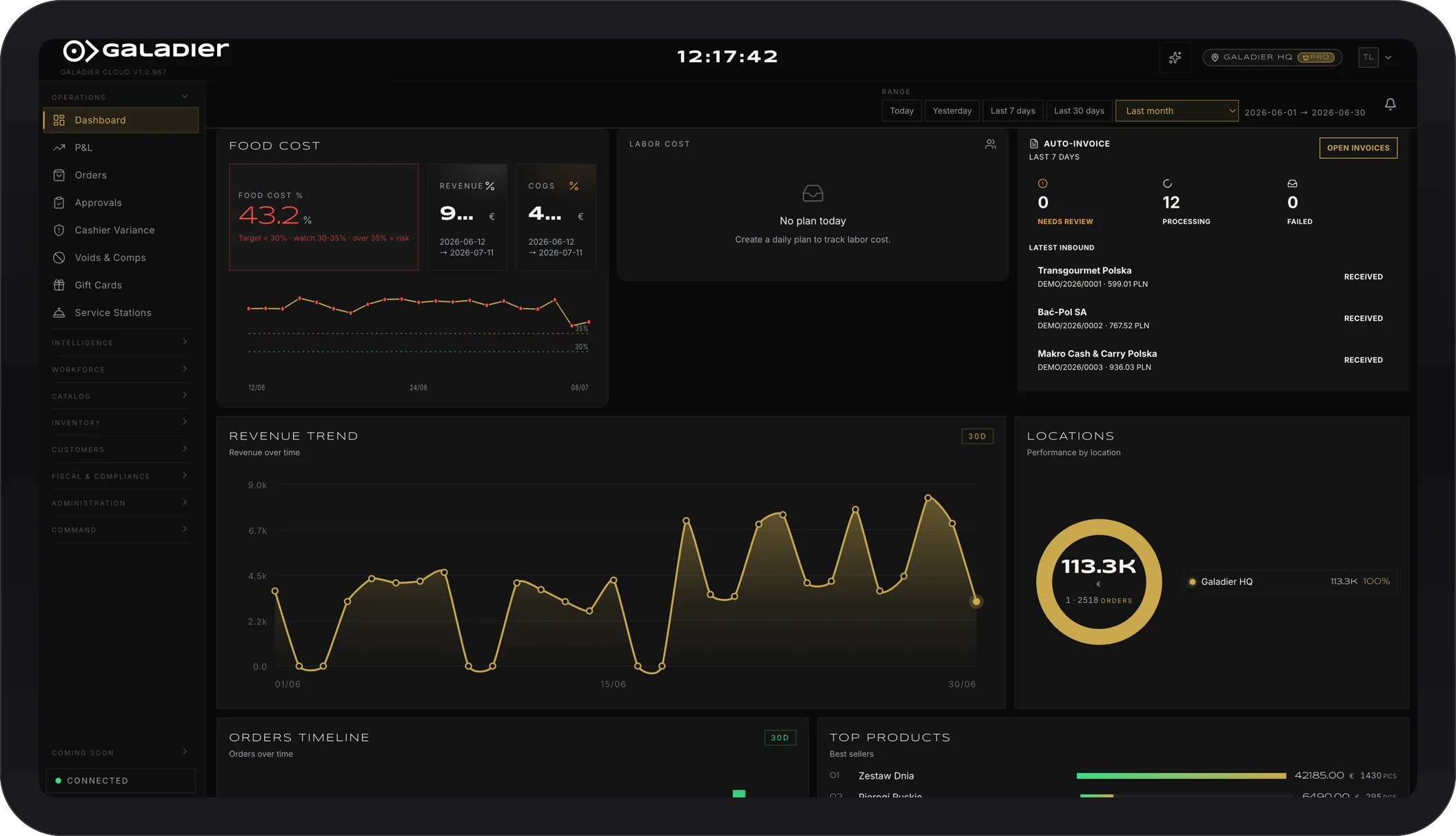
In Galadier, staff, roles, and shifts are part of the same system that runs the till, the kitchen, and the day’s forecast. The schedule gets built on one screen, everyone sees their own on their phone, changes keep a history, and the system tells you ahead of time the simple, valuable thing: revenue is trending up tomorrow evening, staff accordingly.
Where to start
- Measure today’s cost: how many hours a week does the schedule and its messages eat? How many times a month did you have a gap or an overstaffed shift?
- Get the conversation out of chat: the first step isn’t auto-scheduling, it’s one source of truth everyone can see on their phone.
- Turn on availability and open shifts: that’s where you win back most of the messages and most of the frustration.
- Put shift cost next to shift revenue: from there, staffing becomes a decision made with numbers.
If you want to see what your own schedule looks like without spreadsheets, open shifts, requests from the phone, a draft that builds itself, book a demo with your current rota in hand.